
PC Cleaner for Windows: Clean My PC, Optimize & Maintain Your PC
Elite PC Cleaner gives you practical tools to remove junk files, free up disk space, manage startup programs, clean supported browsers, and maintain everyday Windows performance from one easy-to-use dashboard.
Faster PC
Help improve system responsiveness and everyday performance.
More Free Space
Clean unnecessary files and reclaim valuable disk space.
Better PC Maintenance
Keep your Windows computer cleaner and easier to manage.
Is Your PC Running Slow? Get Practical Windows Help
A Windows PC can slow down as temporary files, startup programs, browser data, unused applications, and background processes build up over time.
- Accumulated temporary files and system clutter
- Too many programs launching at startup
- Browser cache and cookies taking up space
- Unused files and duplicate data on your drives
- Background applications consuming resources
- General system clutter from regular use
If your Windows computer is running slow, regular maintenance can help. Elite PC Cleaner brings cleaning and optimization tools together in one Windows-focused toolkit designed to help you speed up your PC and keep it manageable.
Why is my PC running slow? →A Smarter Way to Fix My PC and Maintain Windows
Instead of manually searching through folders and settings, Elite PC Cleaner provides organized tools for cleaning, optimizing, and maintaining your Windows PC — whether you need to free up space, manage startup programs, or perform a routine cleanup.
Explore PC cleaning →Windows PC Cleaner & Optimization Features
Clean up unnecessary files, free storage, manage startup programs, and optimize everyday Windows PC maintenance from one place.
Junk File Cleaner
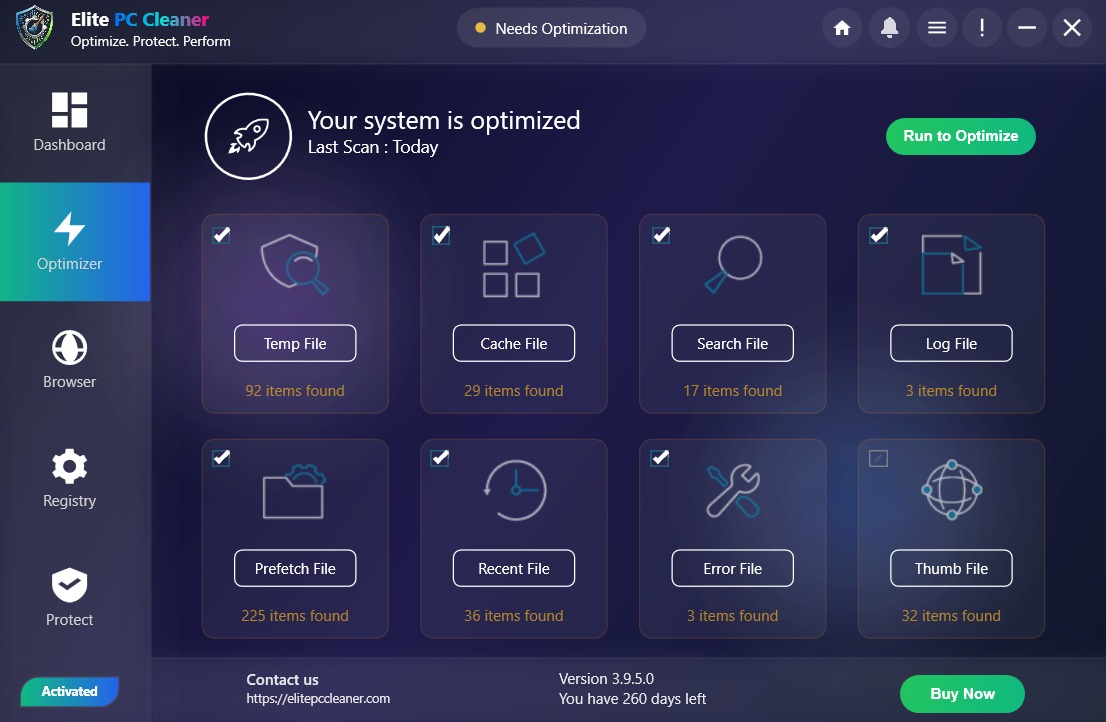
Helps identify and remove unnecessary temporary files, cache data, and other clutter that can accumulate on your Windows PC over time, freeing up valuable disk space.
Learn about PC cleaning →Registry Cleaner
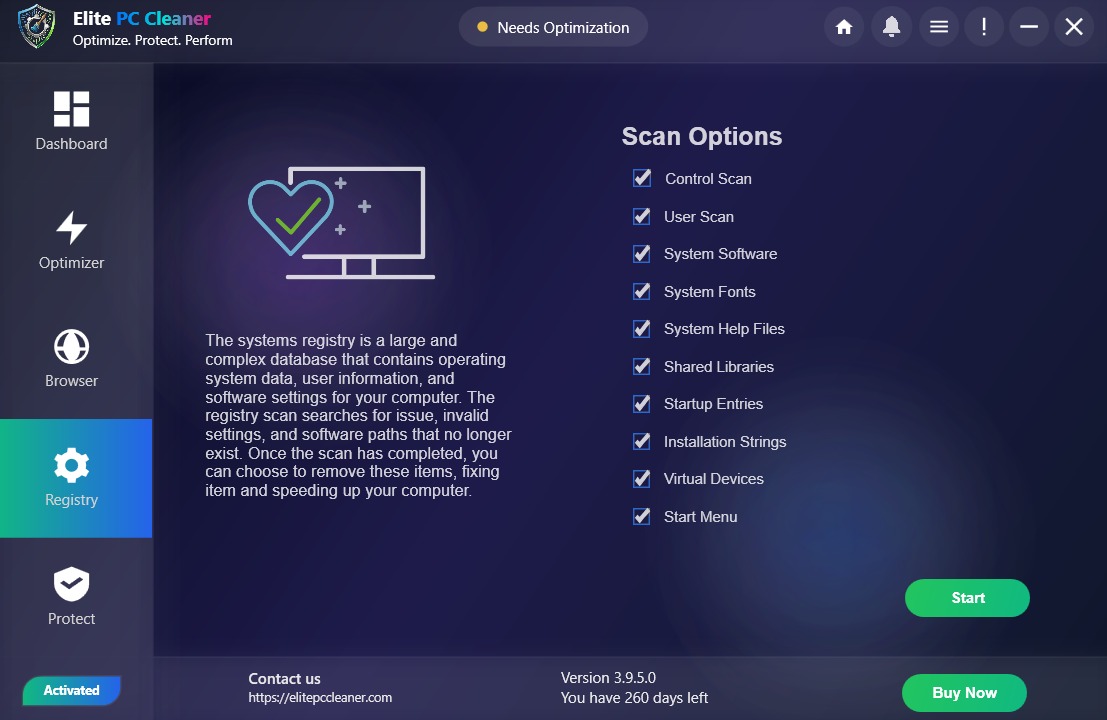
Designed to help scan and clean invalid or obsolete registry entries that may build up through software installations and uninstallations on Windows systems.
View all features →Startup Manager
Lets you review and manage programs that launch when Windows starts, which can help reduce boot times and improve everyday responsiveness.
Manage startup programs →Browser Cleaner
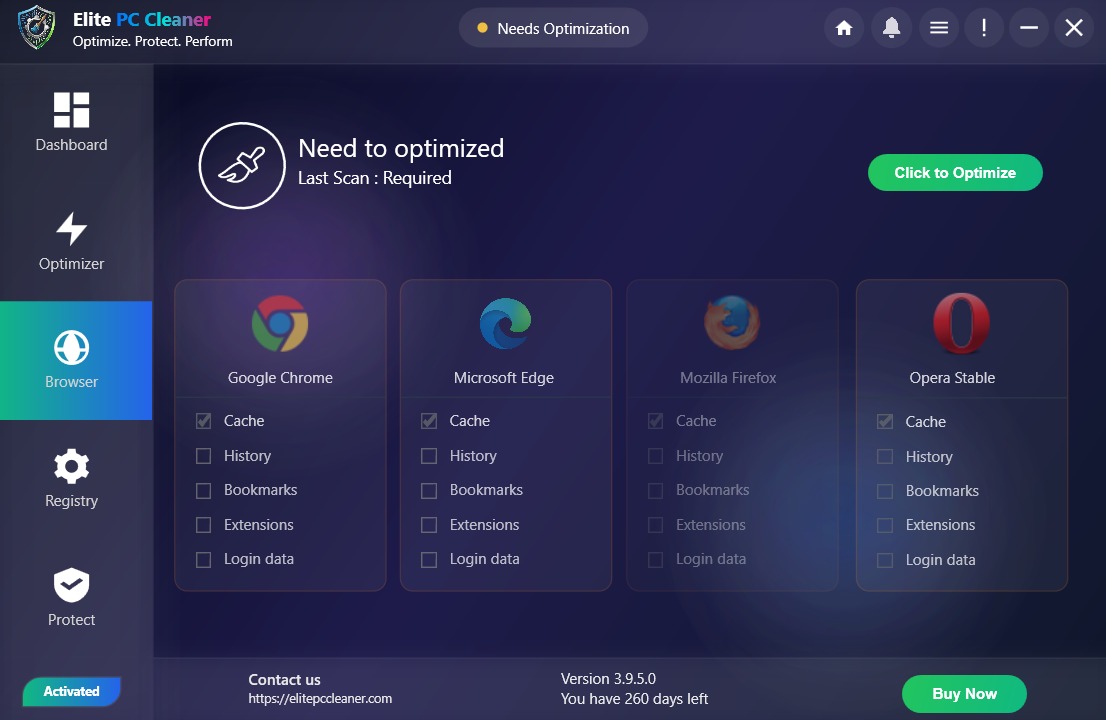
Helps clean browser cache, cookies, and browsing history across supported browsers to reclaim storage and maintain privacy on shared computers.
Explore browser cleaning →System Optimizer
Provides tools designed to help optimize Windows settings and manage background processes for smoother everyday performance.
Learn about optimization →Privacy Tools
Includes utilities to help clear traces of recent activity and manage privacy-related data on your Windows computer.
View privacy tools →A Smarter Way to Clean My PC on Windows
PC cleaning is the process of removing unnecessary files, temporary data, and clutter that builds up through everyday computer use. A reliable PC cleaner helps you identify what can safely be removed without affecting important system files.
Elite PC Cleaner serves as a Windows PC cleaner and PC cleaning software solution, helping you clean junk files, perform Windows cleanup tasks, and free disk space on your computer. Whether you need a routine computer cleaner or a deeper cleanup session, the tools are organized for clarity and ease of use.
Learn more about PC cleaning →What Gets Cleaned?
- Temporary files and system cache
- Browser history, cookies, and cache
- Obsolete registry entries
- Duplicate files across your drives
- Other unnecessary data identified during scans
Performance Management Tools
- Startup program management
- Background process optimization
- System settings adjustments
- Ongoing PC maintenance utilities
- Performance monitoring overview
Fix My PC: Optimize Windows for Better Performance
A PC optimizer goes beyond cleaning by helping manage the settings and programs that affect how your computer performs day to day. This includes startup optimization, managing unnecessary background processes, and maintaining overall system health.
Elite PC Cleaner works as Windows optimization software and a Windows PC optimizer, giving you tools to optimize your Windows PC and speed up Windows performance through organized maintenance rather than one-off fixes.
Explore PC optimization →Why Is My Windows Computer Running Slow?
Understanding common causes helps you take the right steps — with or without software.
Startup Overload
Programs that launch automatically when Windows starts can significantly increase boot time and consume memory before you even open an application.
Low Disk Space
When your drive is nearly full, Windows has less room for temporary files and virtual memory, which can affect overall responsiveness.
System Clutter
Temporary files, browser cache, and unused data accumulate silently over weeks and months, gradually consuming storage and resources.
These are general causes of a slow Windows PC. Malware can also affect performance, though Elite PC Cleaner is a maintenance tool — not antivirus software. For a comprehensive troubleshooting guide, visit our dedicated resource.
How Elite PC Cleaner Works for a PC Running Slow
Three straightforward steps to cleaner, better-maintained Windows performance.
Download & Install
Get Elite PC Cleaner via direct download or the Microsoft Store. Installation takes just a few minutes on any supported Windows PC.
Scan Your System
Run a scan to identify junk files, startup items, registry issues, and other areas where your PC could benefit from cleaning or optimization.
Clean & Optimize
Review scan results, choose what to clean or adjust, and apply changes. Regular maintenance helps keep your PC running smoothly.
One Dashboard to Fix My PC and Maintain PC Health
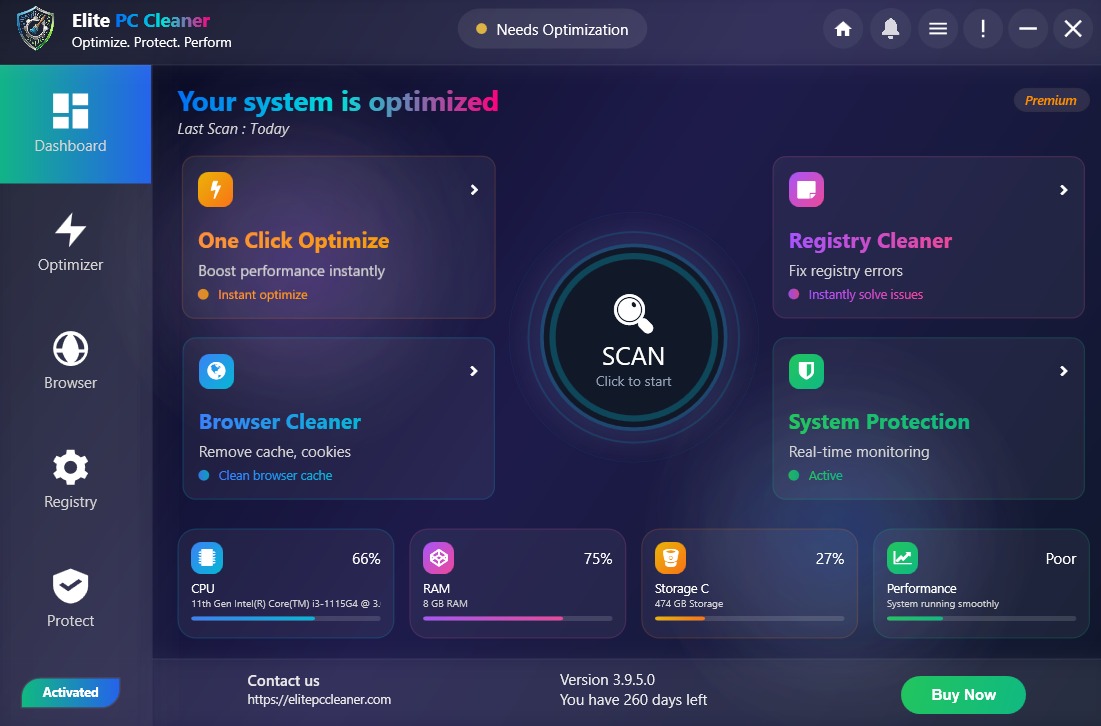
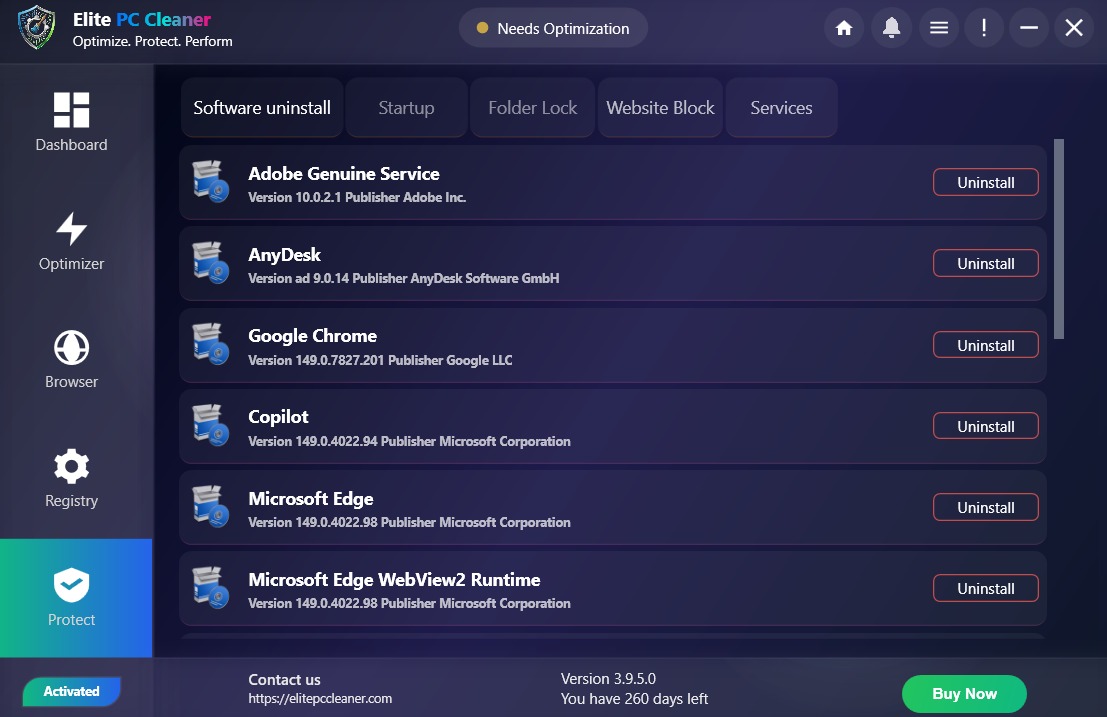
Elite PC Cleaner organizes its tools in a clear, modern interface so you can access cleaning, optimization, and maintenance features without navigating complex menus.
From junk file scanning to startup management, browser cleaning to system tools — everything is accessible from a single dashboard designed for Windows users who want straightforward PC maintenance.
Explore all tools →Why Choose Elite PC Cleaner
Windows Focused
Built specifically for Windows PCs with tools tailored to the operating system's file structure and settings.
Easy to Use
A clean interface that makes PC maintenance accessible whether you are tech-savvy or just want a simpler approach.
All-in-One Toolkit
Cleaning, optimization, privacy, and maintenance tools combined in one application instead of juggling multiple utilities.
Flexible Download
Install via direct download or the Microsoft Store — choose the method that works best for you.
Designed for Windows: Printer Driver & Printer Setup Support
Elite PC Cleaner integrates naturally with Windows, providing maintenance tools that work within the platform you already use.
Native Windows Tools
Utilities designed to work with Windows file systems, registry, and startup mechanisms.
Microsoft Store Option
Available through the official Microsoft Store for users who prefer marketplace installations.
Regular Updates
Continued development to support current Windows versions and maintenance needs.
Also Available on Microsoft Store for Printer Setup & Windows Tools
Prefer installing apps through Microsoft's official marketplace? Elite PC Cleaner is listed on the Microsoft Store, giving you a trusted alternative to direct download.
Microsoft Store ListingClean My PC, Fix My PC and Get Windows Help
If you want to clean my PC efficiently, Elite PC Cleaner provides practical Windows maintenance tools for removing unnecessary files, managing startup programs, and keeping your computer organized. If you need to clean my PC after months of everyday use, regular maintenance can help free storage and improve responsiveness.
When you need to fix my PC, start by identifying the cause of the problem. A PC running slow can be affected by startup programs, low storage, temporary files, background processes, or other system issues. Elite PC Cleaner helps with routine maintenance while our resources provide additional troubleshooting guidance for a PC running slow.
For Windows printing problems, checking the correct printer driver is an important troubleshooting step. A missing, outdated, or incompatible printer driver can prevent Windows from communicating correctly with a printer. Our Windows-focused resources can help you understand printer driver issues before changing system settings.
If you are working through printer setup, Windows may require the correct device connection, software, and printer driver. A careful printer setup process can help avoid common connection and printing problems. Use the appropriate Windows instructions for your printer model when completing printer setup.
Whether your goal is to clean my PC, fix my PC, troubleshoot a PC running slow, resolve a printer driver problem, or complete printer setup, Elite PC Cleaner provides Windows maintenance tools and practical resources to help you work through common PC tasks.
Clean My PC, Fix My PC, and Get Help When Your PC Is Running Slow
Maintaining a Windows computer does not have to be complicated. Whether you are dealing with a slow Windows computer, trying to clean your PC, or looking for ways to optimize Windows PC performance, understanding the basics goes a long way.
Regular cleanup of temporary files, managing startup programs, and keeping your storage from getting too full are practical steps anyone can take. Software like Elite PC Cleaner helps automate and organize these tasks, but the underlying principles of good PC hygiene apply regardless of which tools you use.
Explore our resource guides for step-by-step help on topics like how to clean your PC, how to speed up Windows, and removing junk files.
Frequently Asked Questions
Available for Windows · Also available on Microsoft Store